Bookcase
Every book you own, in one place.
Scan the Barcode
Scan the barcode on the back of a book and it joins your bookcase straight away, with its title, author and cover.
No Barcode?
Point at the cover and tap the button. No camera handy? Type the number above the barcode instead.
See What It's Worth
Bookcase looks up a value for each one, so your bookcase shows how many books you have and roughly what they are worth.
See It
-
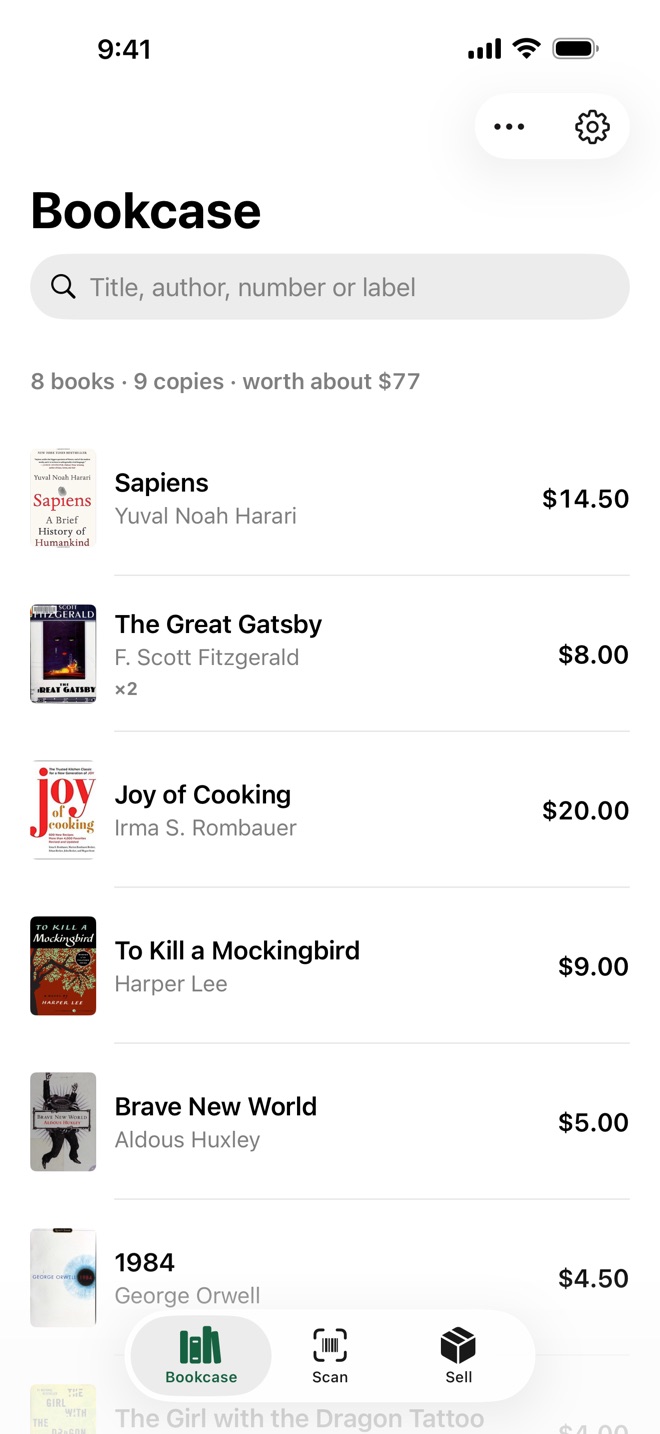
Your bookcase -
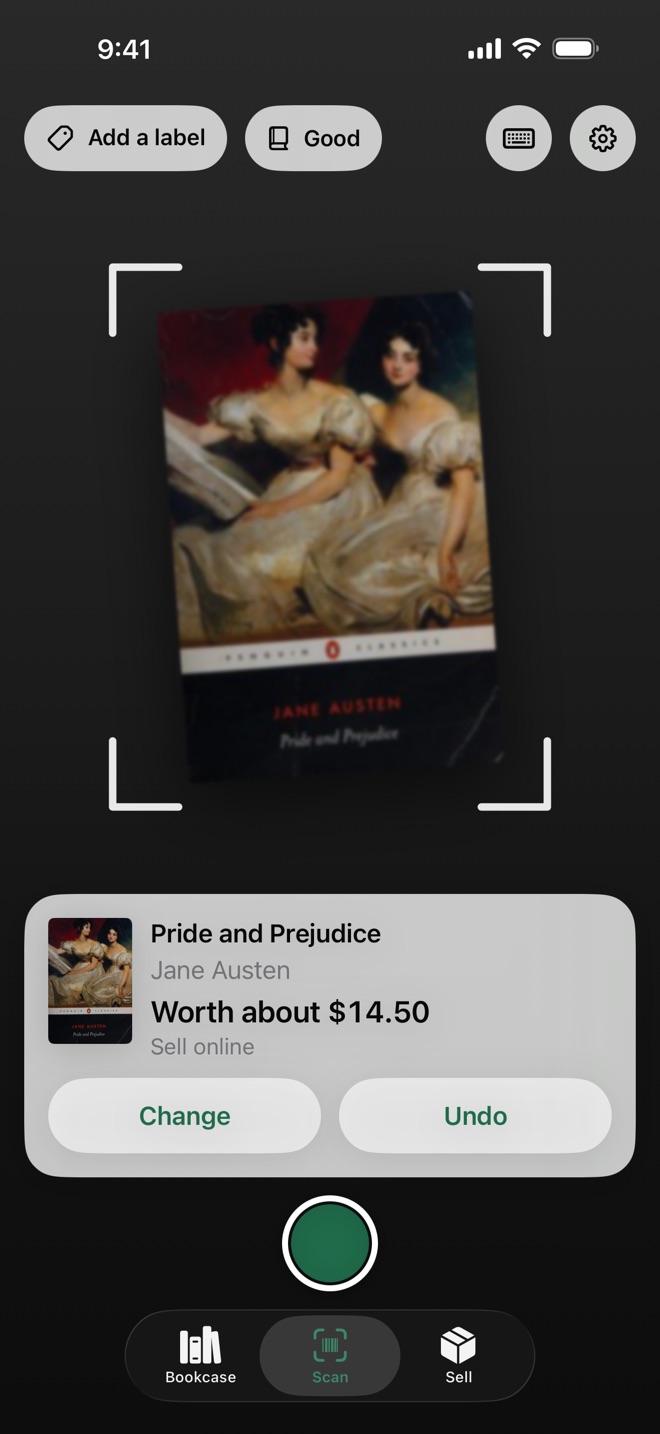
Scan -
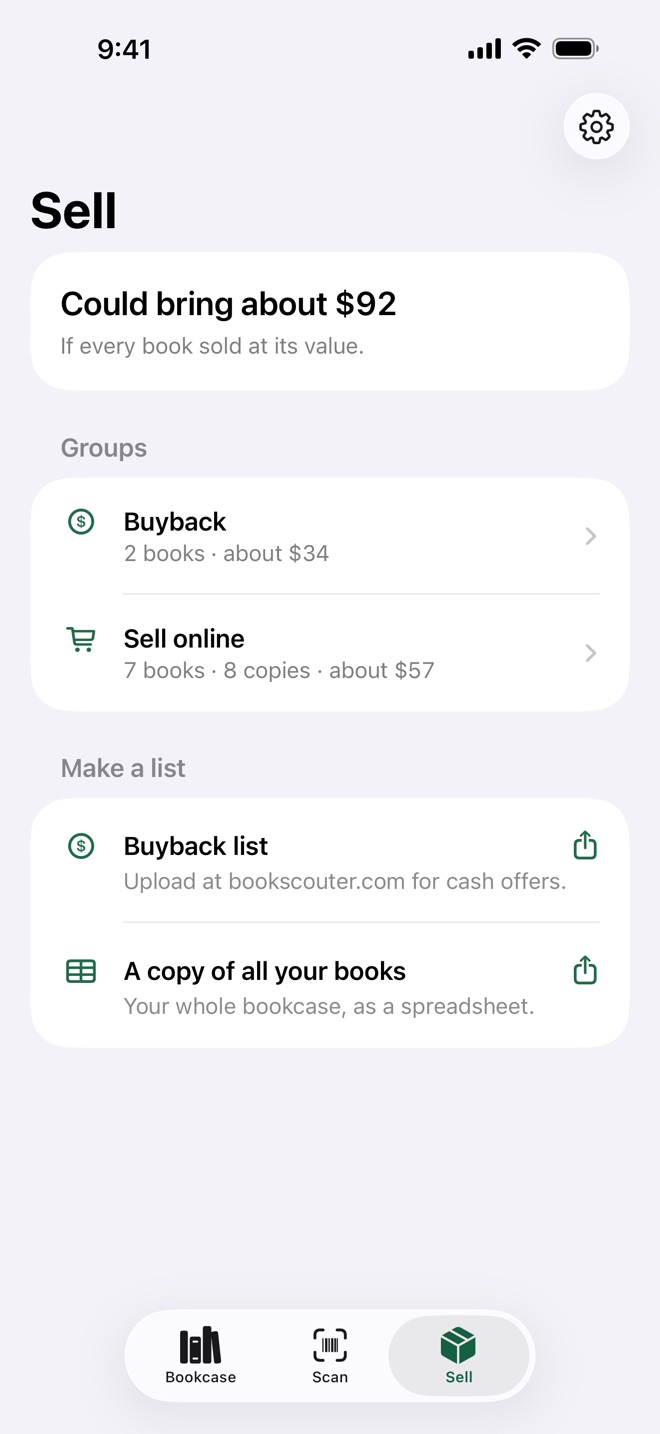
Sell -
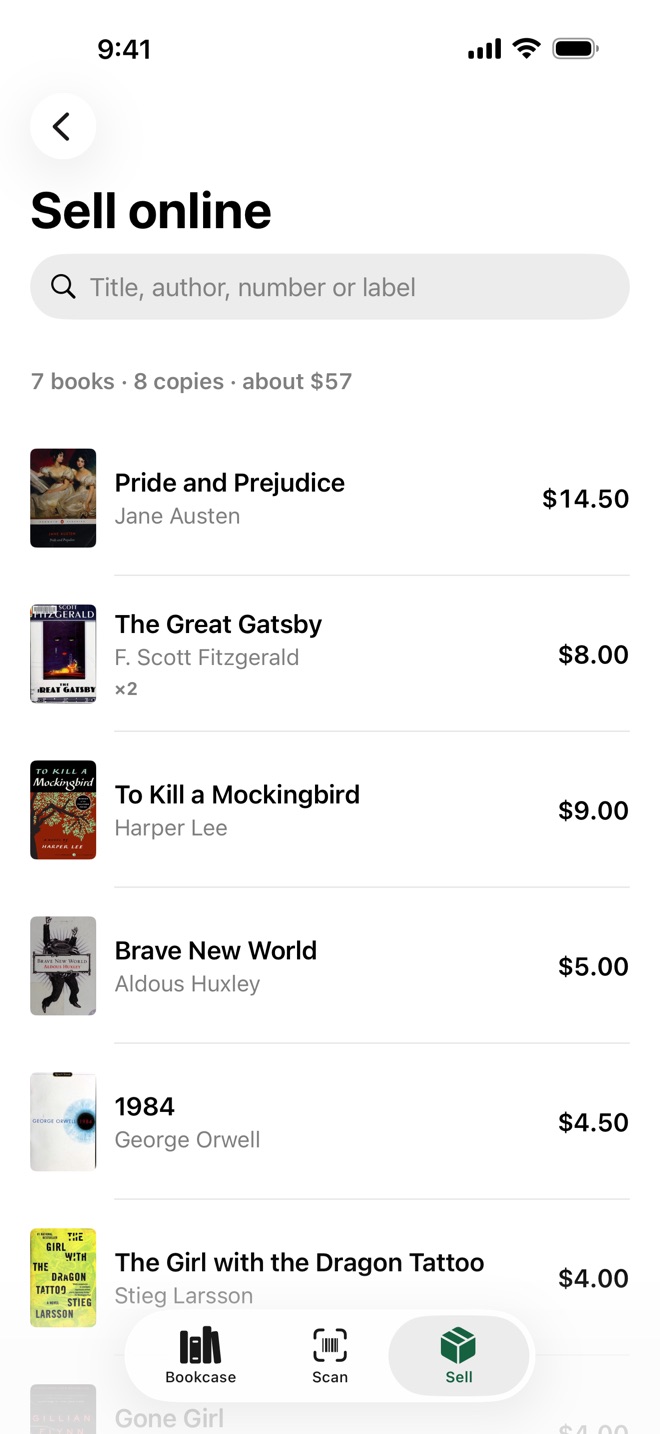
A group -
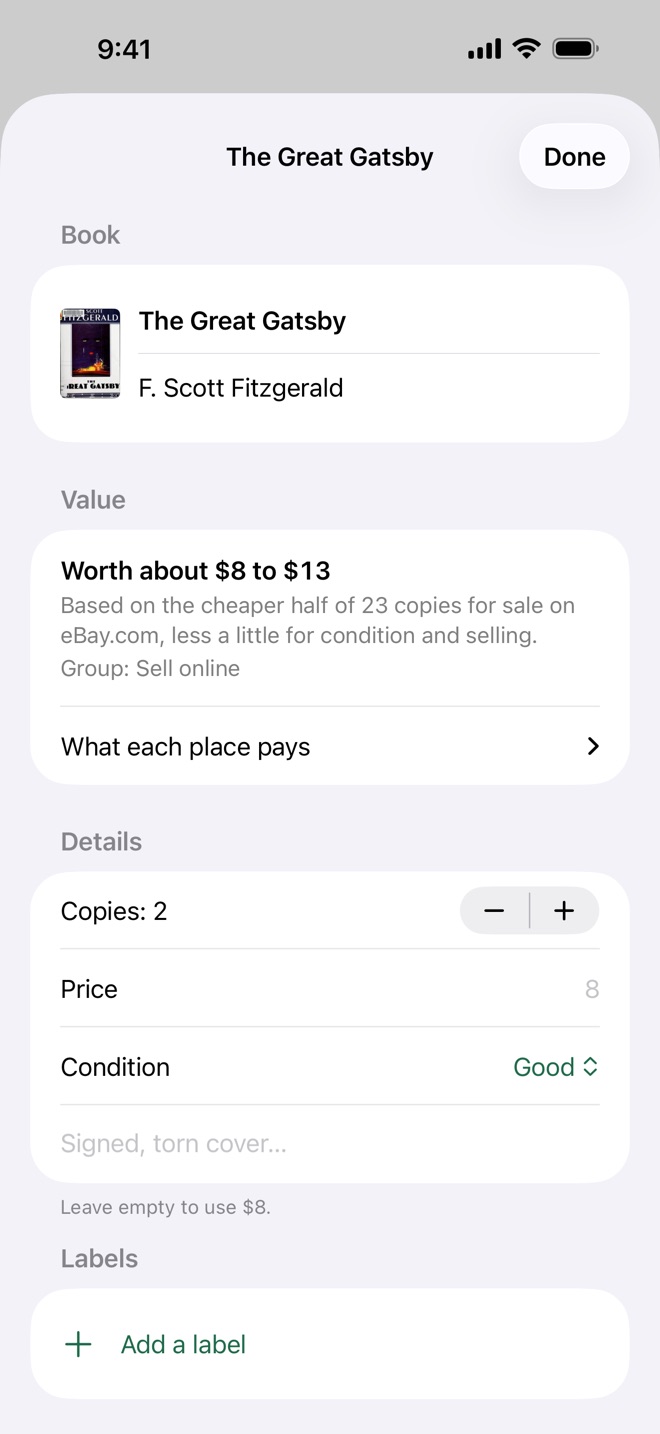
Edit a book
Your Collection
- Every book with its cover, title, author and value
- No barcode? Point at the cover and tap the button
- Older books too: paperback store barcodes and pre-1974 numbers
- Search by title, author or number
- Copies counted when you own more than one
- Add a whole list at once from a spreadsheet
- Save your whole bookcase as a spreadsheet, and bring it back
- Type your own price or notes for any book
Sell
When you're ready to part with some, the Sell tab sorts your books into two groups: worth asking a buyback site about, and worth selling online. One tap makes the upload list for a buyback site (and for AbeBooks, eBay or Amazon once eBay values are set up), or a copy of all your books. You never type a listing by hand.
Private by Design
Your list stays on your phone. No account, no sign-in, no tracking, no ads. To find a book's details and value, Bookcase sends only its number to Open Library, Google Books and Apple Books, and to eBay and BooksRun for used prices and buyback offers when keys are set up. For a book with no barcode, a photo of the cover is read on your phone; only the words read from it are sent to Open Library and Google Books, and the photo is never stored or sent.
Values are estimates from public prices; the site you sell on sets the real price. Works in Canada and the United States.
Read the full Privacy Policy.